Write the questions
Kinds of questions, asking some questions only of some people, and getting Canopy to review your wording.
The Questions step is the survey itself. Keep it short: a survey people finish beats a thorough one they abandon.
Kinds of questions
The menu at the top of each question, beside its number, sets how people answer:
- Open answer: they write in their own words, up to 2,000 characters. Canopy reads these answers for needs.
- One choice or Several choices: they pick from answers you write. Tick Let people write their own (“Other”) to add a box for anything you missed.
- Scale: one choice read in order, first to last, such as “Very hard” to “Very easy”.
- Yes / no.
- Number: they type a number, such as how many invoices they send a month.
Tick Required for a question people must answer before they go on. Use it sparingly: forcing an answer gets made-up ones, or people give up.
A survey can have up to 12 questions, and up to 3 open ones.
Ask some questions only of some people
Press Show only to some people under a question to give it a rule. A question with a rule is only shown to people:
- who answered question N with one of the answers you pick, for a follow-up that only makes sense after a particular answer; or
- whose column in your list is one of the values you pick, such as people on the Pro plan. This needs a list with that column (see Choose who to ask).
Questions that follow from the same answer are drawn together as a path. Add a question to this path adds another one behind the same rule.
The survey map
The Survey map beside the editor shows every question, who gets which, and how many questions the longest path has: for example “12 questions · up to 8 per person”. The line above the questions says about how long that takes. The invitation tells people both, so keep the longest path short.
Let Canopy review it
Press Review with Canopy at the top of the step. Canopy reads the survey as your customers will meet it and checks each question for faults known to bias or blur answers, such as two questions in one, a leading word, asking people to predict what they would do, or a scale that only goes up. It also looks at the survey as a whole: its length, its order, and whether it asks what you want to learn.
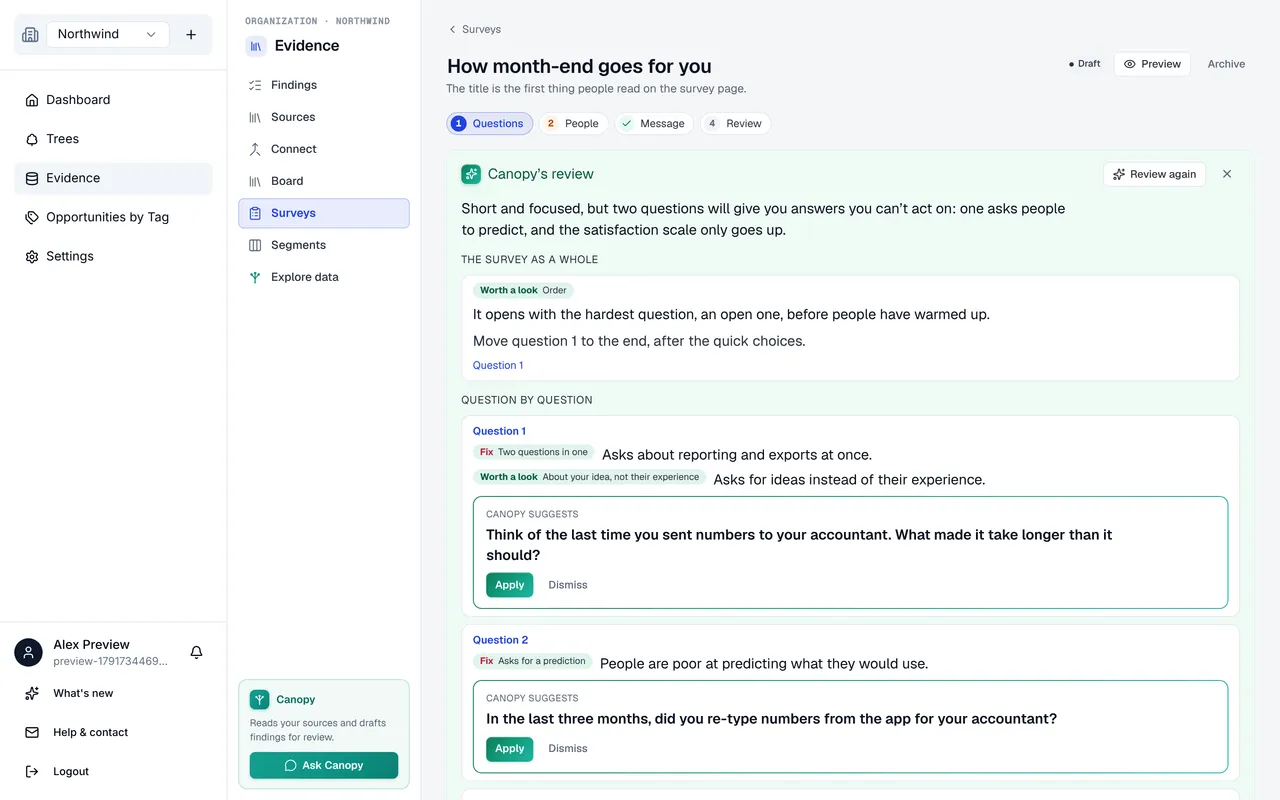
A question with a fault gets one suggested rewrite. Apply puts it in, Dismiss leaves your question as it is. Nothing changes until you apply something, and a suggestion for a question you have since edited is withdrawn.
Preview it
Preview at the top of the page opens the survey as a customer sees it, with every question and who it is for. Nothing you answer there is saved.
Still stuck? Email info@outcomify.com and a person will answer.